
Product tour

A tour of Vamiq

Real screens from Vamiq in a sample workspace, from the overview and devices to app installs, compliance and your own app store.

Each screen below is a real Vamiq screen, shown in a sample workspace with a sample company’s devices, people and apps.

Sample workspace

One workspace, screen by screen

Device management for small and growing businesses. Set up and secure your team’s devices, install apps, and put your private apps on your Apple devices.

  1. What needs attention
  2. Your PCs in one list
  3. Ready for a new starter
  4. A group for each office
  5. Where each install stands
  6. Compliance snapshots
  7. Lock a lost phone
  8. Your own app store

What needs attention

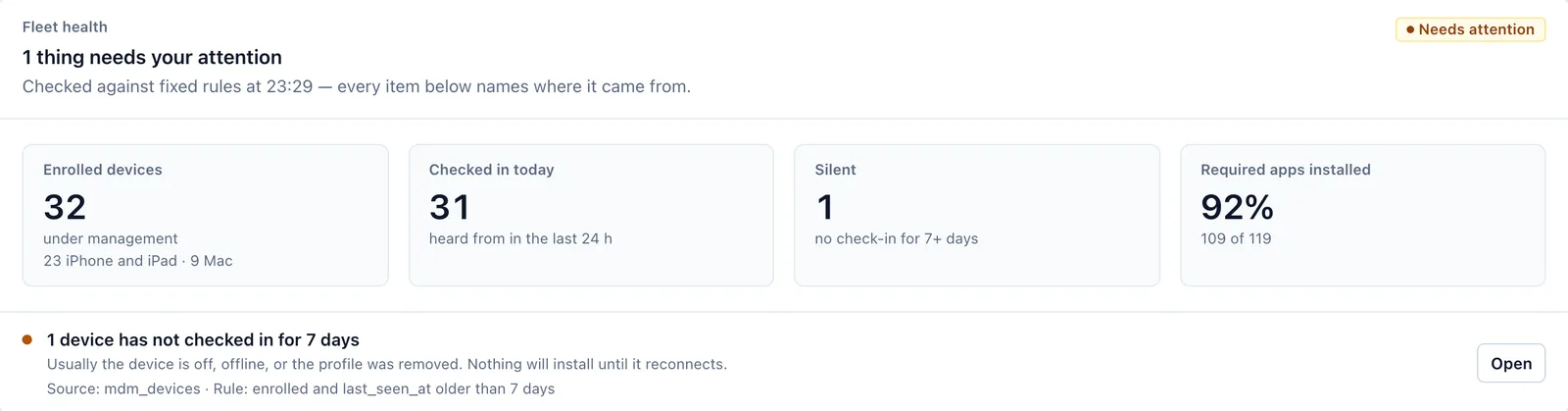
See at a glance what needs your attention, with the rule behind each item.
Sample workspace
Sample workspace: the fleet health card, counting enrolled devices, devices checked in today, silent devices and required apps installed, above the one item that needs attention

Your PCs in one list

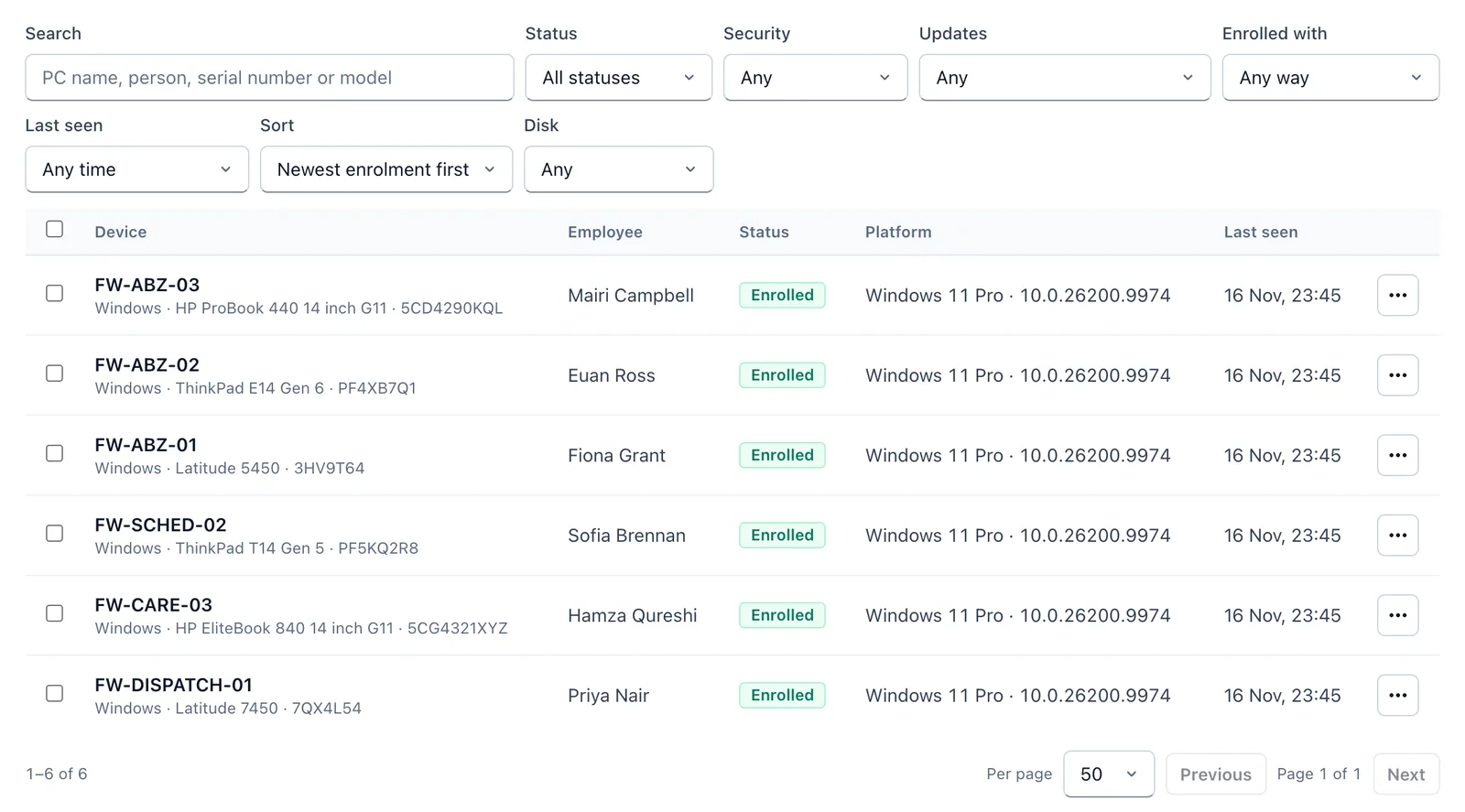
See each PC’s model, serial number, Windows version and last check-in.
Sample workspace
Sample workspace: the device list filtered to six PCs, each with its model, serial number, person, status, version and last check-in

Ready for a new starter

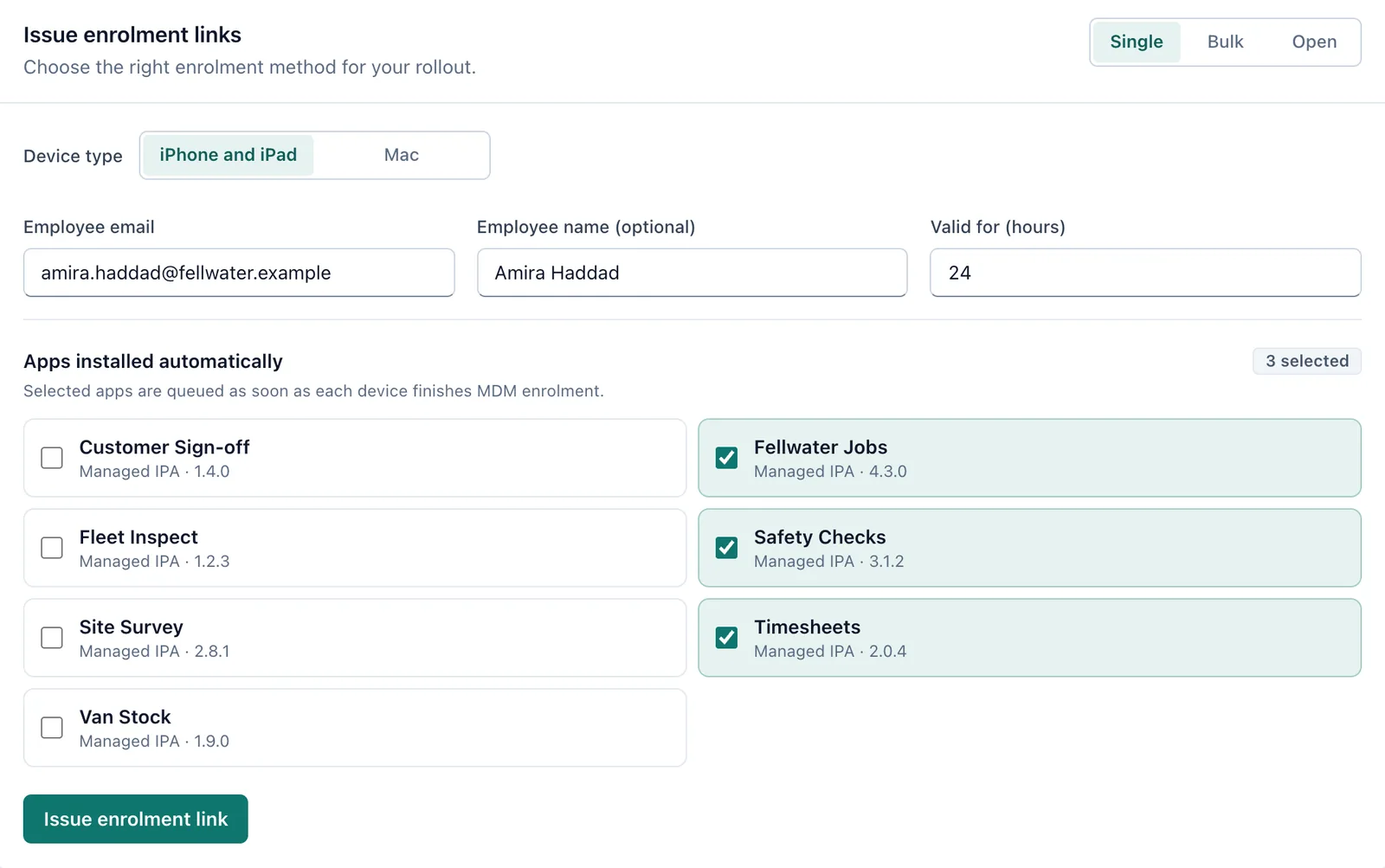
Issue a new starter’s enrolment link and choose the apps that are queued for their iPhone or iPad as soon as it finishes enrolling.
Sample workspace
Sample workspace: the enrolment link form for a new starter’s iPhone or iPad, with her e-mail address, her name and three apps chosen for the link

A group for each office

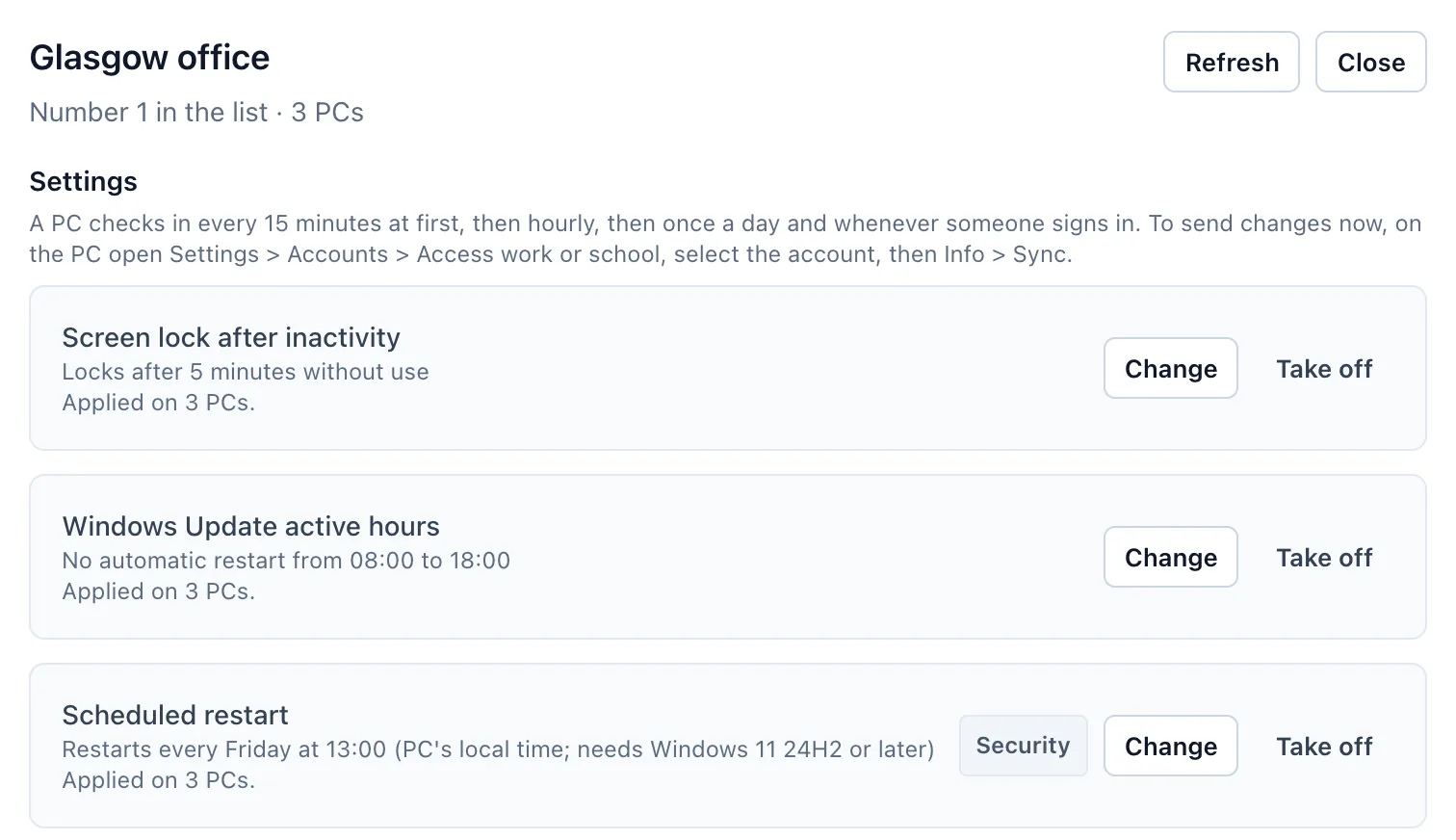
Put PCs in groups and give each group its own Windows settings.
Sample workspace
Sample workspace: the Glasgow office group, with screen lock after inactivity, update active hours and a weekly restart, each applied on its 3 PCs

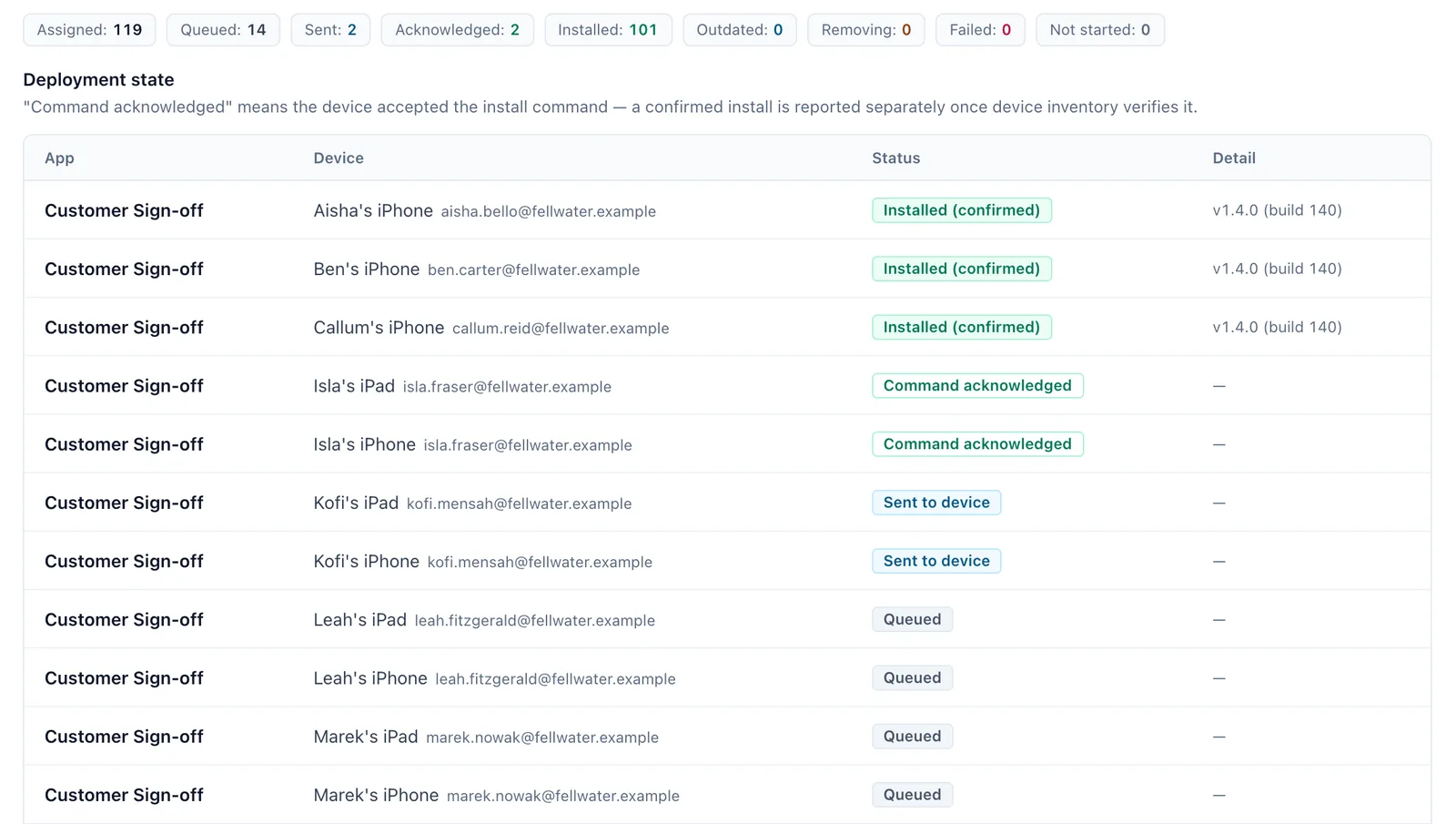
Where each install stands

Assign an app to a group and follow each install, device by device, from queued to installed.
Sample workspace
Sample workspace: one app’s deployment across a group, with each device’s status: queued, sent to device, command acknowledged, or installed and confirmed

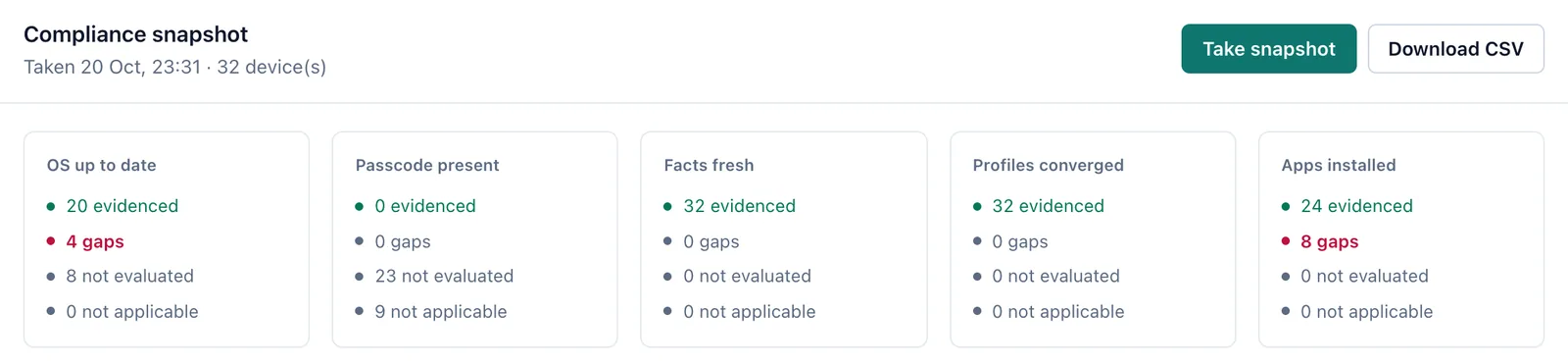
Compliance snapshots

Take a compliance snapshot of your Apple devices and download it as CSV.
Sample workspace
Sample workspace: the compliance snapshot, with five rules and, for each, the devices with evidence, with gaps, not evaluated and not applicable

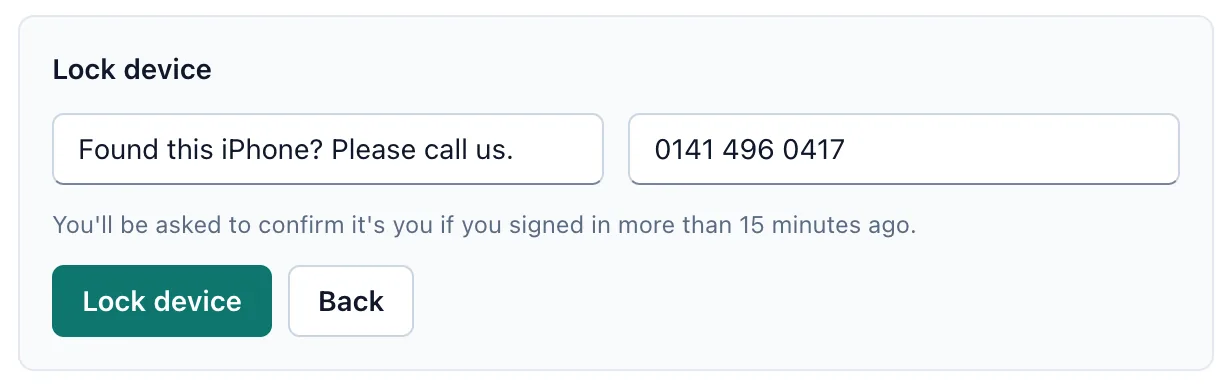
Lock a lost phone

Lock a lost iPhone and put a message and a phone number on its screen.
Sample workspace
Sample workspace: the lock form for a lost iPhone, with a lock-screen message and a phone number to call

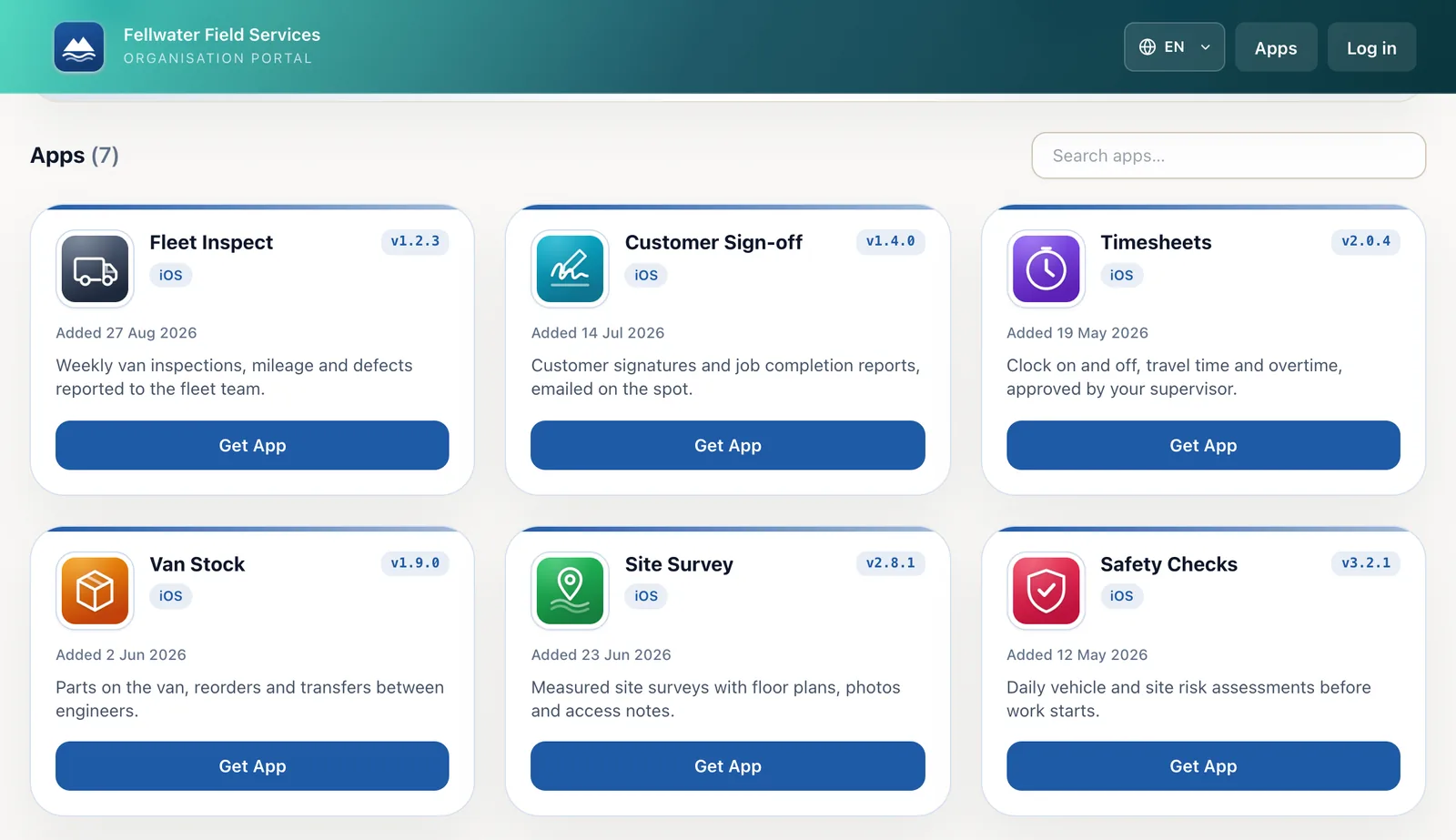
Your own app store

With Distribution, staff find your company’s apps in your own branded app store.
Sample workspace
Sample workspace: the sample company’s branded app store on an iPad, with its company apps and a Get App button on each

Try it yourself

See it with your own devices.

Free for up to 5 devices, with no card. Everything is included for 14 days.